Anime Downloader APK Guide: How to Save Anime for Offline Viewing with Anime Salt
A practical Android guide for choosing quality, managing storage, avoiding risky download mirrors, and keeping episodes ready before travel or weak Wi-Fi.

Table of Contents
If you are searching for an anime downloader APK, you probably want one thing: episodes that still play when Wi-Fi drops, mobile data is expensive, or a trip takes you away from a stable connection. Anime Salt is useful for that intent because it combines streaming, search, subtitles, and offline saving inside one Android app experience.
The risky part is that APK download pages often skip the details that matter after installation. A working download button is not enough. You need to know which quality to pick, how much storage a season can consume, where offline files live, and what to do when downloads pause or disappear.
This guide focuses on Anime Salt as an offline anime downloader for Android. It does not promise that every title, server, or region will support downloading forever. Instead, it gives you a repeatable setup so you can test a title, save episodes cleanly, and avoid the unsafe APK mirrors that target downloader keywords.
Quick Answer: Can Anime Salt Work as an Anime Downloader APK?
Yes, Anime Salt can be used as an anime downloader APK when the title and server you choose support offline saving. The best way to use it is to install the APK from a trusted source, test one short episode first, then download a small batch instead of filling your storage with an entire season immediately.
For most Android phones, 720p is the balanced choice: it is clear enough for a phone screen and uses far less space than 1080p. Use 1080p only when you have plenty of storage and know you will watch on a tablet, TV cast setup, or larger screen.
Start with one episode, confirm subtitles and audio, then download the rest of the arc or season.
Before You Download: Device and App Checks
Offline viewing is more reliable when your phone has enough free storage and a stable first download session. Do these checks before saving multiple episodes.
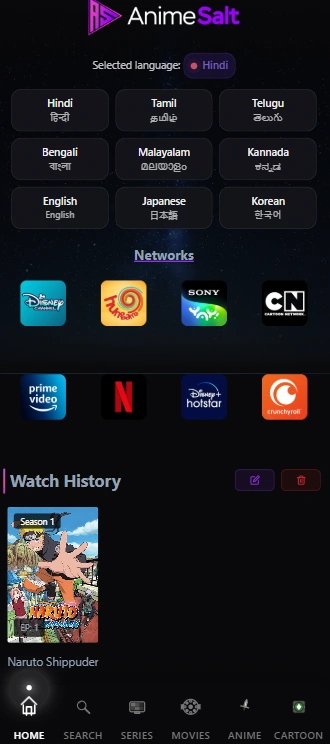
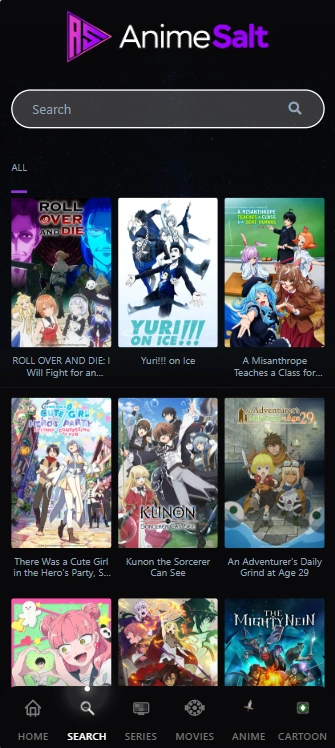
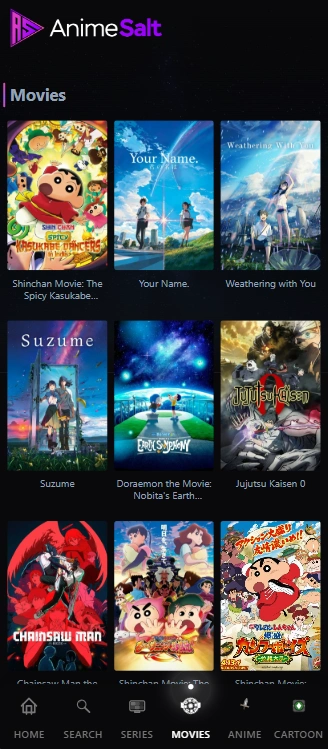
The app can show rich home, search, and movie screens, but download reliability still depends on Android permissions, server availability, and whether your device keeps background downloads alive.
- Keep at least 2 GB free before downloading a full short season.
- Use Wi-Fi for the first batch so interrupted mobile data does not corrupt files.
- Confirm storage permission if Android asks for it during the first save.
- Open one episode online first to confirm the server, subtitle track, and audio language.
- Disable aggressive battery saver while a long download queue is running.
Quality and Storage: How Much Space Do Episodes Need?
Exact size varies by runtime, codec, subtitles, and server compression, so think in ranges. A 24-minute episode at 480p may be lightweight, while 1080p can become several times larger. If you are preparing for travel, estimate the whole playlist before you tap download repeatedly.
The safest practical rule is to leave empty space after downloading. Android and Anime Salt both need cache room, and a completely full phone can cause failed saves, playback errors, or app crashes.
| Quality | Typical use | Storage planning |
|---|---|---|
| 360p | Small screens or very limited storage | Good for commuting; expect the smallest files. |
| 480p | Older phones and long queues | Useful when you need many episodes more than sharp detail. |
| 720p | Best default for most Android users | Balanced clarity and file size for phones and small tablets. |
| 1080p | Large screens or premium viewing | Use only when storage and Wi-Fi are both comfortable. |
A Safer Download Workflow in Anime Salt
A careful workflow prevents most offline viewing surprises. The goal is not to download everything at once; it is to build a queue you can trust.
-
Open the title from search or category pages
Use the search tab or movie/anime categories to find the exact series, then check the episode list.
-
Stream one episode briefly
Play for a minute to confirm the server works, subtitles are available, and the audio track is correct.
-
Choose the lowest acceptable quality
Pick 720p for most phones, 480p for long trips, or 1080p only when you have space.
-
Download a small batch
Save two or three episodes first. If they play offline, continue with the next batch.
-
Check offline playback before leaving Wi-Fi
Turn off Wi-Fi briefly or use airplane mode to verify the files open without a connection.
Manage Downloaded Episodes Without Filling Your Phone
The most common offline viewing mistake is forgetting to clean up old files. Anime episodes add up quickly, especially when you save multiple shows in HD. Make a habit of deleting completed episodes after you finish an arc or trip.
If your device supports external storage, check whether the app can use it before relying on an SD card. Some Android apps keep offline files inside protected app storage, which means normal file managers may not show every downloaded episode.
Keep a storage buffer
Leave free space for cache, updates, and temporary files. A full phone can break downloads that looked successful.
Batch on Wi-Fi
Queue episodes while your connection is stable, then verify offline playback before travel.
Delete watched episodes
Clean up after each season or trip so the app stays fast and Android has room to work.
Know where files live
Offline episodes may stay inside app storage rather than a normal Downloads folder.
Fix Common Anime Downloader APK Problems
Download issues are usually caused by storage, server availability, permissions, or Android background restrictions. Work through the simple causes first before reinstalling the app.
| Problem | Most likely cause | Best fix |
|---|---|---|
| Download button missing | The selected server or title does not support offline saving | Try another server or choose a different title. |
| Download stuck at 0% | Weak connection or blocked background activity | Use Wi-Fi, keep the app open, and disable battery saver temporarily. |
| Episode saved but will not play offline | Incomplete file or server token expired during save | Delete that episode, stream-test it again, and re-download. |
| Subtitles missing offline | Subtitle track was not cached with the video | Select subtitles during online playback before saving another copy. |
| Phone storage suddenly full | HD episodes and cache accumulated | Delete watched downloads and clear app cache from Android settings. |
Safety Checks for Anime Downloader APK Searches
Downloader keywords attract unsafe mirror pages. Be cautious with pages offering modded downloaders, premium unlocked builds, forced notification permissions, or APK files with a size that does not match the version you expected.
Use Anime Salt from a trusted source, review permissions at install time, and avoid APKs that ask for contacts, SMS, accessibility services, or device admin access. An anime downloader needs network and storage behavior; it should not need control over unrelated private areas of your phone.
For Android's permission model, Google's official documentation is the best reference: <a href="https://developer.android.com/guide/topics/permissions/overview" target="_blank" rel="nofollow noopener" class="external-link">Android permissions overview</a>.
If an APK claims to be an anime downloader but asks for unrelated sensitive permissions, do not install it.
Related Anime Salt guides
- Download Anime Salt APK - start with the current APK before saving offline episodes.
- How to install Anime Salt APK on Android - use this if the APK is not installed yet.
- Anime Salt subtitles guide - check subtitles before downloading a whole batch.
- Anime Salt not working fix guide - use this when playback, server, or crash issues continue.
- Anime Salt website safe link guide - verify APK pages before trusting a download mirror.
- Free anime streaming apps for Android - compare official services and APK options before choosing an offline workflow.
- How to get anime clips for edits legally - separate editable footage rights from in-app offline viewing.
Frequently Asked Questions
Bottom Line
Anime Salt is most useful as an offline anime downloader when you treat downloads as a planned queue: verify the source, test one episode, choose a realistic quality, and keep enough free storage for cache and subtitles.
That workflow is slower than tapping download on every title, but it prevents the real problems users complain about: stuck queues, missing subtitles, files that fail in airplane mode, and phones filled with episodes they already watched.
Sources and verification notes
- GSC 28-day review on June 23, 2026 found no query meeting the 10-30 position, 50+ impressions, low-CTR new-page threshold.
- Similarweb returned sparse exact Anime Salt downloader data; Semrush fallback showed related low-KD demand around anime downloader app/APK and offline anime download intent.
- Existing site content already covers install, safe links, subtitles, TV, iOS, PC, premium/mod risk, and troubleshooting, leaving offline-download management as a distinct article topic.
- Android Developers: Android permissions overview.
Last updated: June 23, 2026