Best Anime Streaming App for Android TV in 2026: Apps, Browsers, and APK Checks
A practical way to choose an anime app for a TV screen without confusing a polished listing with a verified streaming source.

In this guide
Searching for the best anime streaming app for Android TV is not only a catalogue question. A phone app can have thousands of titles and still be frustrating on a television if the remote cannot move through the menus, subtitles are hard to select, or playback depends on pop-ups and redirects.
This guide separates four paths: an official TV app, a subscription service, a browser on the TV, and an Android APK installed from outside the normal store. They solve different problems. The safest default is the option whose publisher, app listing, permissions, and update route are easiest to verify in your country.
Use the comparison as a decision framework rather than a promise of a live catalogue. Titles, subtitle tracks, free episodes, regional rights, and app support can change. Test one short episode and the remote controls before moving a full watchlist or installing software on a shared household device.
Quick answer: which anime app is best for Android TV?
For most viewers, a normal official or clearly operated TV app is the best starting point. It usually gives you the most predictable remote navigation, account support, update path, and permission model. A free or ad-supported option can be enough if it carries the title and subtitle track you want.
A browser is useful when you need to test a title without installing anything, but TV browsers can be awkward for full-screen playback and may expose more redirects. An APK can be convenient for Android TV or Fire TV, yet the convenience is conditional: the file source, package identity, signature, permissions, and update history must be checked first.
The short verdict is simple: choose the most transparent app that works with your remote and title list. Treat a download page, a copied logo, a high version number, or a countdown button as marketing signals—not proof that an APK is official or safe.
TV-first controls
Menus should be usable with a remote, not only with a phone-sized touch screen.
The right subtitles
Open one episode and verify the exact language track instead of trusting a homepage badge.
A clear source
Prefer a publisher, store listing, help page, and update path you can identify.
Stable playback
Test seeking, audio, captions, and buffering before committing to a long series.
Best default: official TV app first; browser for a quick test; sideloaded APK only after identity and source checks.
What makes a good Android TV anime app?
Android TV adds constraints that are easy to miss in a phone review. A good anime app should expose large focus states, predictable back-button behavior, readable episode lists, and a player that does not require tapping a tiny control. If the service supports casting or a TV-native application, check that route before assuming an APK is necessary.
Catalogue size is only one part of the decision. A smaller service with the shows, dub or subtitle language, and region rights you need can be a better fit than a large unverified directory. Also check whether free access is supported by ordinary ads, a trial, or a sign-in requirement, and whether the app explains what happens to offline downloads.
- Remote navigation works without a mouse or phone companion.
- The player exposes audio, subtitle, seek, and resume controls clearly.
- The title is available in your country and the episode opens before you sign up.
- The app has a recognizable publisher, support page, and normal update path.
- The permissions and storage behavior make sense for a video app.
A TV-ready experience is a usability test as much as a content test.
Anime streaming options for Android TV compared
The table below compares the main paths rather than ranking individual services. Availability changes by country and title, so use it to decide what to verify next. For APK routes, the last column matters as much as the viewing features: a large catalogue cannot compensate for an unknown package or an unverified update source.
Searches such as anime TV app, anime TV APK, and best app to watch anime for free often mix official services, browser sites, community recommendations, and download mirrors. Keep those result types separate. A store listing can establish an app identity; it does not automatically prove that a similarly named APK on another domain is the same build.
| Path | Best for | Strengths | Main check |
|---|---|---|---|
| Official free or ad-supported TV app | Casual watching | Remote-friendly UI, clear operator, ordinary updates | Country catalogue, ads, subtitle track |
| Known subscription service | New releases and stable support | Account help, TV apps, predictable playback | Plan, regional rights, offline rules |
| TV browser | Testing one title without an install | No sideload, quick to try | Pop-ups, full-screen controls, redirects |
| Android TV APK from a verifiable publisher | A specific device workflow | May add TV support or a missing app route | Package name, signature, permissions, update evidence |
| Anime Salt-style third-party APK page | Users comparing unofficial options | May advertise flexible sources or downloads | Do not assume the name, logo, version, or file is official |
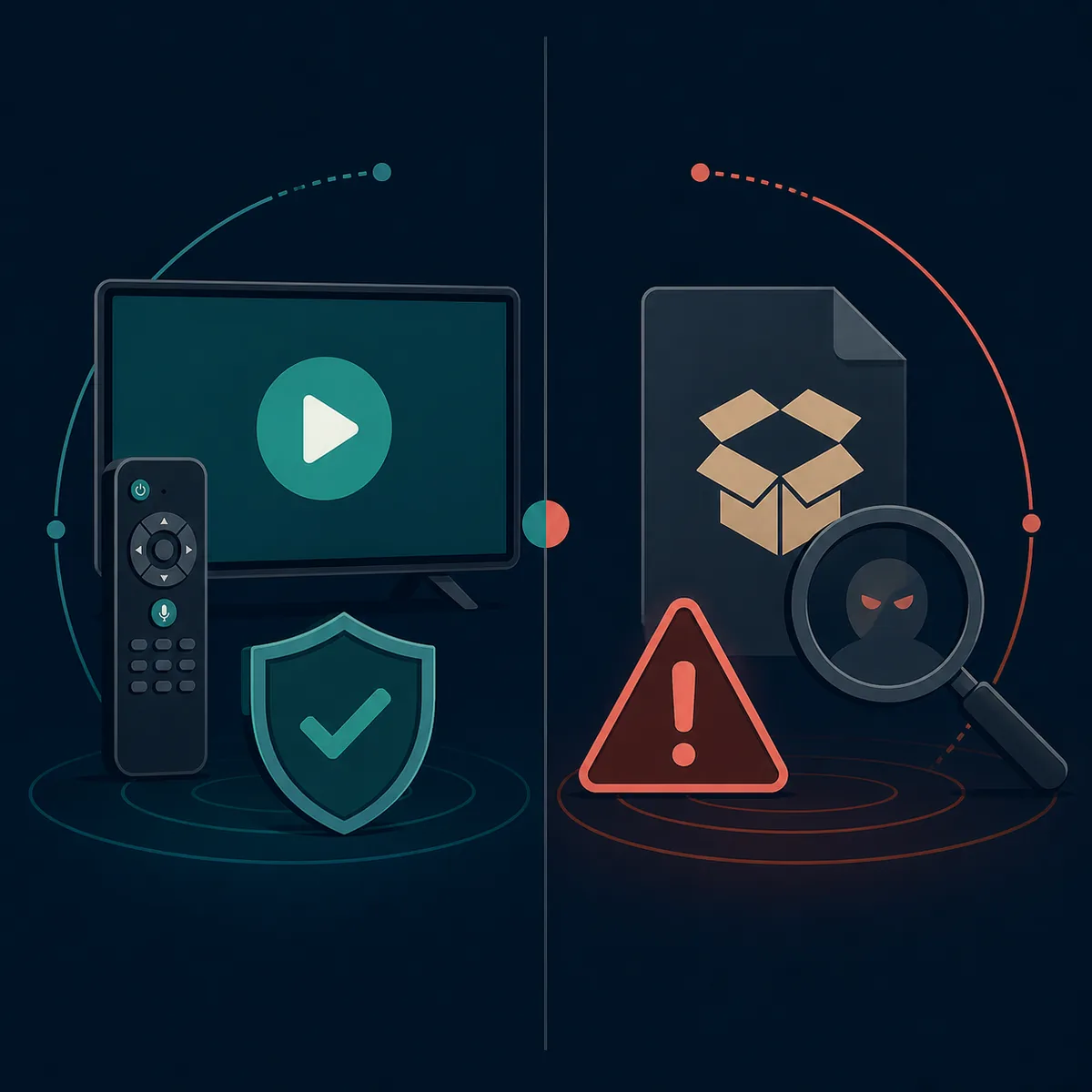
Compare the viewing path and the trust path together; neither should be hidden behind a download button.
Choose by your actual viewing need
The phrase best anime streaming app for Android TV covers several different jobs. Start with the constraint that would make you uninstall the app if it failed, then compare only the options that satisfy it. This keeps a free-app search from turning into an unsafe APK search by accident.
If you are replacing an app because it buffers, test the network and one alternative player before changing sources. If you need offline viewing, confirm whether downloads are an official app feature, where they are stored, whether they expire, and whether the TV device has enough space.
New seasonal episodes
Verify the exact show and release timing in your region. A directory claim is not a rights confirmation.
Free viewing
Compare ordinary ad-supported access with sign-in requirements, pop-ups, and unexplained redirects.
Subtitles or dubs
Test a real episode. Language labels often describe the service, not every title.
Offline use
Prefer a documented download feature and read storage or expiry rules before saving episodes.
Family TV
Use a stable TV app with clear controls and avoid unknown installers on a shared device.
A broken current app
Check the not-working guide and safe-link checks before jumping to a random replacement.
The best app is the one that fits your title, country, subtitles, remote, and source evidence at the same time.
APK and source checks before using Android TV sideloading
A public Google Play page and a third-party APK page are not interchangeable evidence. The public Anime Salt listing for package com.animesalt.animewatch is an app identity reference, but it does not verify a separate streaming APK, a site-listed v9.8 build, a 29 MB file, offline streaming, or an external direct download. The same distinction applies to any anime TV APK result that copies a name or logo.
Before installing, record the exact source URL, package name, version label, file hash if available, requested permissions, signing information, and update notes. If the source cannot explain who publishes the file or how updates are signed, keep watching through a known service or browser instead. Do not disable Play Protect just to complete an install.
This site did not find a verifiable first-party streaming APK release for the site-listed v9.8 label during the August 22, 2026 check. The safe fallback is the official store or source page for the public package, not a guessed CDN link or a temporary redirect.
- Confirm the publisher and package name from a first-party or normal store page.
- Compare the downloaded file's hash or signature when the publisher provides one.
- Review permissions; a video player should not need unrelated access without an explanation.
- Keep Play Protect and the TV's security updates enabled.
- Save the source and release notes so you can identify the next update instead of trusting a mirror.
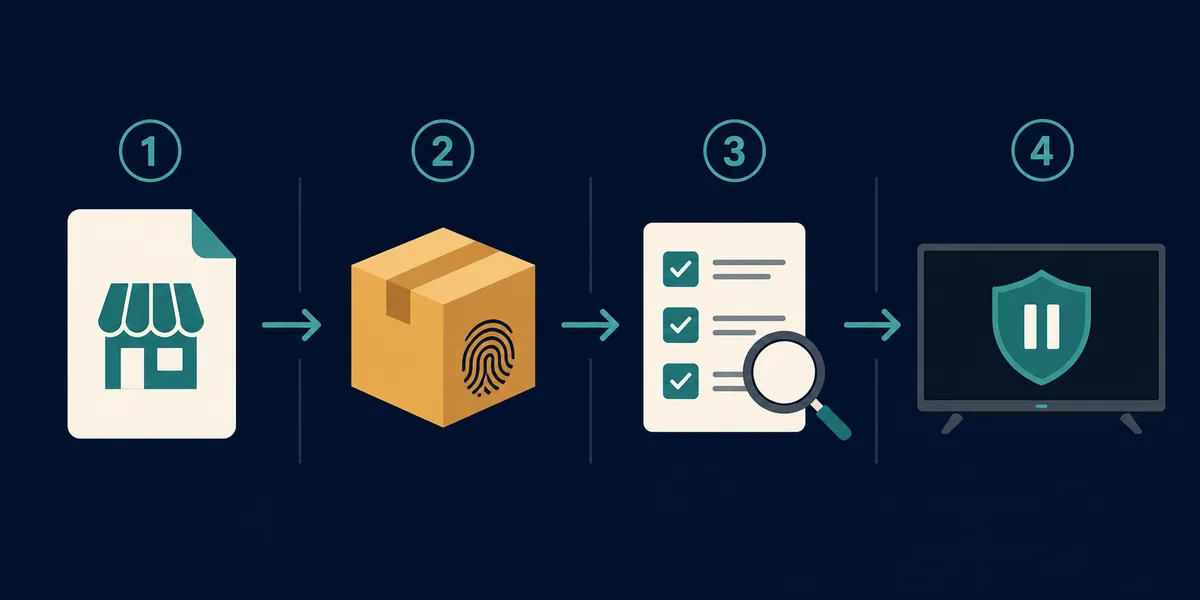
No verified file means no verified direct-download claim. Use the official page as the fallback target.
A simple Android TV setup checklist
Once you choose a source, make the first test small. Install or open the service, search for one title, play a short segment, switch subtitles, press back and resume, and confirm that the remote reaches the controls. This catches TV usability problems before you build a watchlist.
If an APK install is unavoidable, use a device you can reset, keep the file source documented, and remove the package when the source becomes unclear. Never treat a successful install as proof of safety. Review permissions again after updates and watch for new redirects, unexplained overlays, or requests unrelated to playback.
- Test one episode in the target country before creating an account or watchlist.
- Check remote focus, subtitle selection, audio, seeking, and resume behavior.
- Measure free storage and avoid filling a TV box with unexplained download caches.
- Use the official store or a documented publisher page whenever it is available.
- If playback fails, troubleshoot the network and source before installing a second unknown APK.
A ten-minute test is cheaper than rebuilding a household TV setup around an unverified app.
Related Anime Salt checks
- Android TV and Firestick install guide — Use it for device-specific sideload steps after the source check.
- Free anime streaming apps for Android — Compare mobile-first services and their APK trade-offs.
- Anime Salt safe-link guide — Review domains, redirects, and source identity before downloading.
- Anime downloader APK offline guide — Check storage, expiry, and download safety questions separately.
- Anime Salt not-working fixes — Troubleshoot buffering and playback before switching sources.
FAQ: anime apps on Android TV
Bottom line: choose the clearest TV path
A strong Android TV anime app is not defined by a large number printed on a landing page. It should be usable with a remote, show the title and subtitle information you need, handle playback predictably, and come from a source whose identity and update path you can explain.
Use official TV apps and store pages first, browsers for small tests, and sideloaded APKs only when the package and source evidence are strong. If those checks are missing, keep the official page as a where-to-download fallback instead of guessing a direct file link.
Sources checked
- Google Play: Anime Salt public listing — Package and public app description checked on August 22, 2026; not used as proof of a separate streaming APK.
- Google Android TV Help — General TV device and app guidance; availability and settings vary by device.
- Google Play Help — General app distribution and account guidance; a store listing still does not verify third-party mirrors.
Last checked: August 22, 2026