Anime Salt Premium APK: Is It Real or Safe? Free vs Premium Explained
A practical safety guide for users seeing Premium, Premium Unlocked, and Mod APK claims around Anime Salt.

Table of Contents
Search results for Anime Salt can be confusing. Some pages talk about Anime Salt APK as a free anime streaming app, while others use phrases like Anime Salt Premium APK, Premium Unlocked, or Anime Salt Mod APK. Those labels can sound attractive if you want fewer ads, more features, or a direct download, but they also create a real safety question: are you downloading the same app, or a repackaged file from an unknown third party?
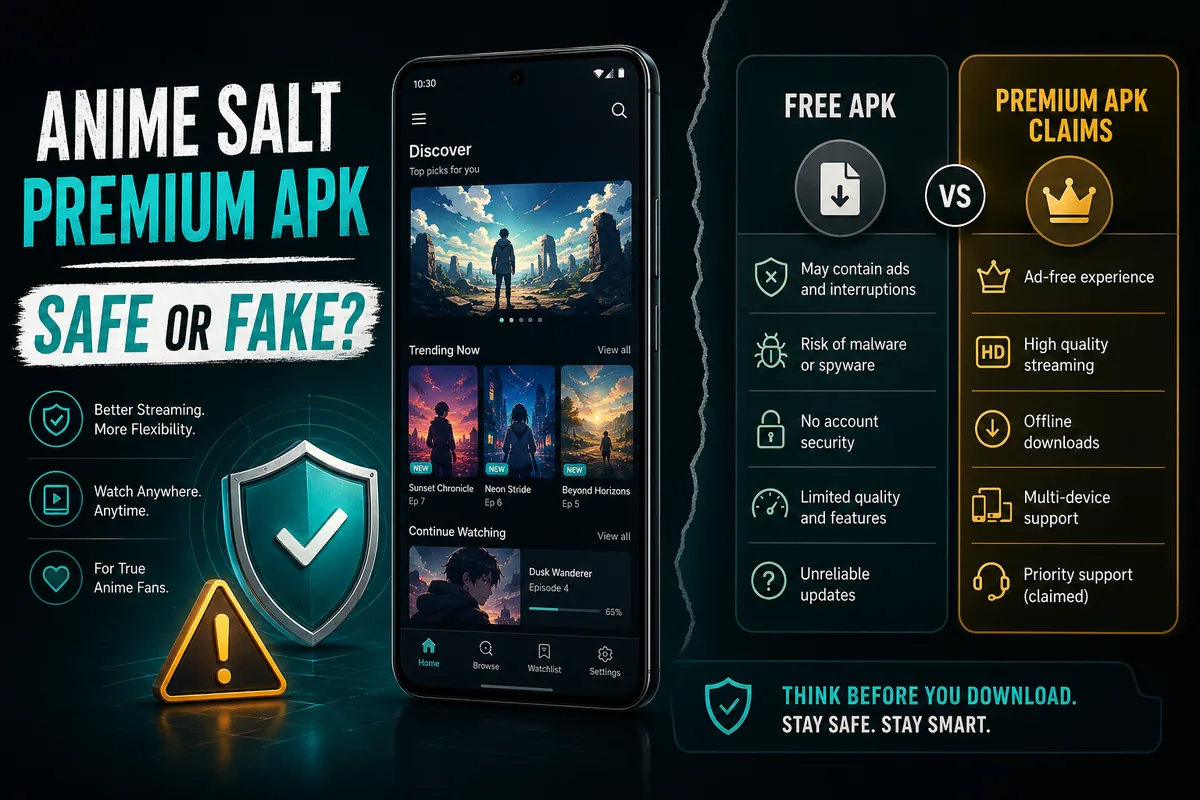
The short answer is this: Anime Salt is usually positioned as a free APK, and premium wording on third-party pages should be treated carefully unless the source clearly proves it. A premium label does not automatically mean the app is official, safer, newer, or better. In APK search results, it often means the page is trying to capture users looking for an unlocked version.
This guide explains what Anime Salt Premium APK claims usually mean, how they differ from a normal free APK download, which warning signs matter, and how to check a file before installing it on Android.
Quick Answer: Is Anime Salt Premium APK Real?
There is no reliable reason to assume every page advertising Anime Salt Premium APK is offering an official premium version. Based on current search results and how APK pages commonly use this wording, Premium APK and Premium Unlocked are often marketing labels used by third-party download sites.
That does not mean every file with that label is automatically malicious. It means the burden of proof is higher. You should verify where the APK comes from, whether the version information matches the expected app details, whether the file requests reasonable permissions, and whether the site explains what has actually changed.
Practical conclusion
Use the normal Anime Salt APK download route when your goal is watching anime. Avoid Premium Unlocked or Mod APK files unless you can verify the source and understand the specific changes made to the APK.
Anime Salt Mod APK Risks You Should Know
A Mod APK is an Android package that has been changed after the original build. Some modified APKs are harmless experiments, but users cannot assume that. Once a file has been repackaged, the original trust path is broken unless the new publisher proves exactly what changed.
Adware or injected popups
A modified APK can add extra ad networks or popups that were not part of the original app experience. This may lead to intrusive redirects, fake update prompts, or unwanted browser notifications.
Permission creep
Anime streaming normally needs internet access and may need storage access for offline downloads. A file asking for contacts, SMS, call logs, camera, microphone, or precise location should be treated as suspicious.
Broken updates
A repackaged APK may not update cleanly over the normal app. Users can see App Not Installed errors, signature conflicts, crashes, or missing watchlist data after changing versions.
Data exposure
Even if an APK streams video correctly, a modified build could collect device identifiers, browsing behavior, or usage data. The user may not see this from the app screen.
Fake safety badges
Some pages display words like safe, verified, or virus-free without showing a scan date, hash, provider, or file details. Treat unsupported badges as marketing, not proof.
Safe Download Checklist Before Installing
Before installing any Anime Salt APK, especially one labeled premium or unlocked, run through this checklist. It takes a few minutes and prevents the most common APK mistakes.
-
Check the source first
Prefer the main Anime Salt download page you intended to use. If a search result sends you to a mirror or a short-link chain, be cautious. A safe page should explain what the APK is, which version it offers, and what Android version it supports.
-
Compare the file details
Look at the version number, file size, and Android requirement. Small differences can happen between releases, but a huge mismatch or missing version history is a warning sign.
-
Review permissions during install
Internet access, network state, and storage access are understandable for a streaming app with offline downloads. Permissions unrelated to streaming should make you stop and investigate.
-
Let Android security tools scan it
Google Play Protect may warn about apps installed outside the Play Store. That warning does not prove the APK is harmful, but you should still treat it as a prompt to verify the file and source.
-
Avoid forced installers
A direct APK file is easier to understand than a downloader app that installs another file later. Avoid pages that require extra installers, browser extensions, notification permissions, or unrelated apps.
For Android permission basics, Google documents how app permissions work and why users should review them before granting access. Android app permissions overview .
Google also explains that Play Protect checks apps and can warn users about potentially harmful app behavior. Google Play Protect help .
What Should You Do Instead?
If your goal is simply to watch anime on Android, the safer path is to use the regular Anime Salt APK page and then follow a normal installation guide. This keeps the download intent clear: you are looking for the current app file, not a modified build with unclear changes.
If you landed on a page claiming Anime Salt Premium APK, read it like a security checklist. Does it describe the actual premium feature? Does it show version details? Does it avoid unrelated permissions? Does it provide a clear update history? If the answer is no, leave the page and use a clearer source.
If you already installed a suspicious premium or mod file, uninstall it, clear leftover downloaded APK files, review browser notification permissions, and reinstall only from a source you trust. If the app requested unusual permissions, revoke them from Android settings before removing the app.
Recommended next steps
- Download Anime Salt APK from the main page - Use this when you want the regular APK download path.
- Follow the Anime Salt APK Android installation guide - Use this if you need help with unknown sources, Play Protect, or install errors.
- Check the Anime Salt website safe link guide - Use this if you are comparing animesalt.ac, animesalt.cc, typo domains, or other Anime Salt website links.
- Anime Salt on Android TV and Firestick - use this if a premium-labeled page targets TV users with sideload claims.
Frequently Asked Questions
Bottom Line
Anime Salt Premium APK is a search phrase that deserves caution. It may point to a normal free APK with a click-focused title, or it may point to a modified file with changes you cannot verify. Either way, do not treat premium wording as proof of quality.
The safer habit is simple: use a transparent download page, verify the version and file details, review permissions, and follow standard Android installation steps. If a premium or mod page cannot explain what changed, skip it.
About the Author
Sophie Nakamura
Mobile tech writer & anime enthusiast
Sophie Nakamura writes about Android apps, APK safety, mobile streaming tools, and practical setup issues for anime fans. Her guides focus on what users can verify before installing software from outside an official app store.
References & Sources
- Android Developers - App permissions overview
- Google Play Help - Use Google Play Protect to help keep your apps safe
- Anime Salt APK installation guide on animesaltapk.blog
- Current search result review for Anime Salt Premium APK and related APK mirror wording
Last updated: June 17, 2026