Anime Salt for iOS or iPhone? What Works, What Does Not, and How to Avoid Fake APKs
A practical safety guide for iPhone users who find Anime Salt APK download pages, Play Store claims, or iOS mirror links online.

Table of Contents
Searches such as Anime Salt for iOS, Anime Salt iPhone, or Anime Salt app download iOS APK usually come from the same confusion: Anime Salt is discussed as an APK, but iPhone users want to know whether there is a safe iOS version. The short answer is that APK files belong to Android, not iOS.
That does not mean every iPhone user has no option. It means you should separate three things: the Android APK, any legitimate web or store version if one exists, and fake pages that use iOS wording only to push downloads, configuration profiles, surveys, or modified files.
This guide explains what is technically possible, what to avoid, and how to use Anime Salt-related content more safely if you own both an Android device and an iPhone.
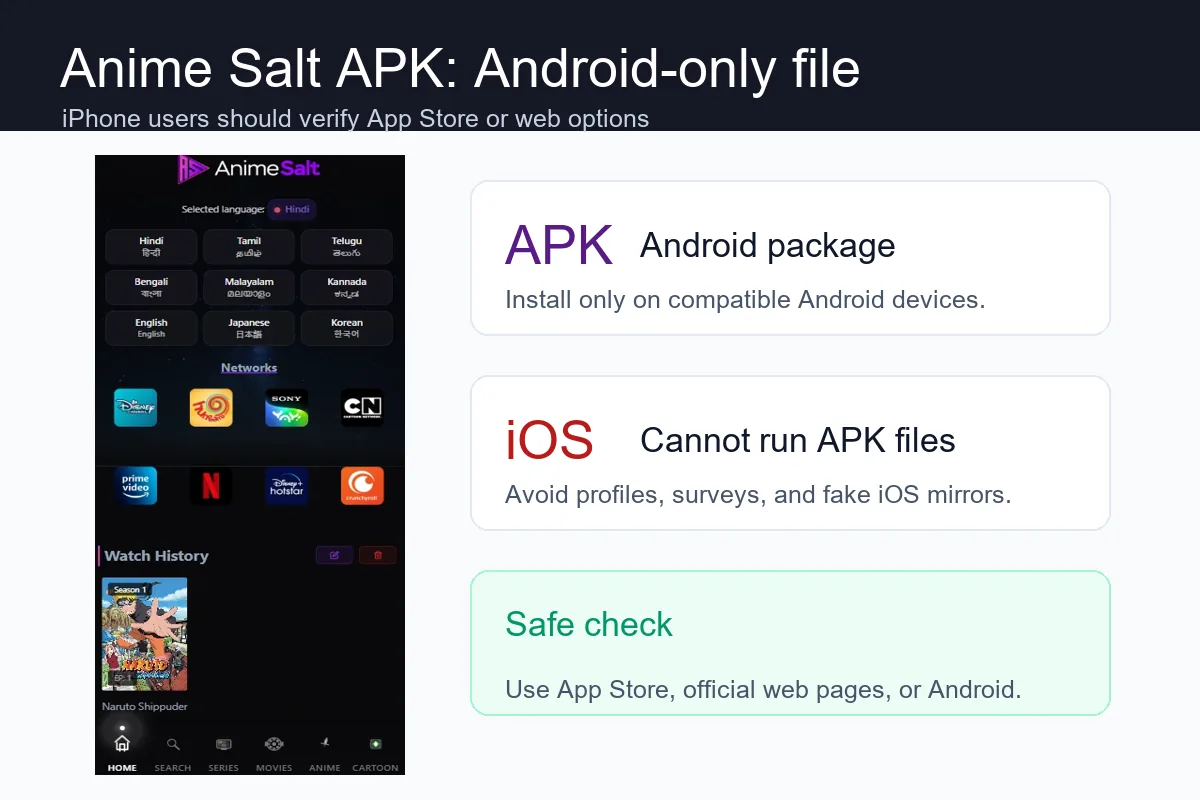
Quick Answer: Can You Install Anime Salt APK on iPhone?
No. A normal Anime Salt APK cannot be installed directly on an iPhone because APK is the Android application package format. iOS uses a different app distribution and signing model, normally through the App Store, TestFlight, or managed enterprise tools.
If a page says it has an Anime Salt iOS APK, an iPhone APK installer, or a browser trick that installs the Android APK on iOS, treat it as unsafe until proven otherwise. Do not install configuration profiles, VPN profiles, or unknown management certificates just to watch anime.
Safe rule
Use Anime Salt APK on Android devices only. On iPhone, look for a verified App Store listing or a normal web streaming option instead of downloading APK files.
APK vs iOS: What Each Platform Allows
The table below separates common claims from what they usually mean in practice.
| Claim or platform | Reality | Best action |
|---|---|---|
| Anime Salt APK on Android | This is the intended APK use case for Android phones, tablets, TV boxes, and some Fire TV devices. | Follow the Android install guide and verify the source before sideloading. |
| Anime Salt APK on iPhone | A standard APK will not install on iOS. | Do not download APK files to an iPhone expecting them to run. |
| Anime Salt iOS app | Only trust it if you can verify a real App Store or official TestFlight source. | Search the App Store directly and avoid third-party profile installers. |
| Anime Salt Play Store result | A Play Store listing would apply to Android, not iPhone. | Check the developer name, reviews, and permissions before installing any Android listing. |
| Anime Salt web version | A browser version may work across devices if it is legitimate and mobile-friendly. | Prefer HTTPS pages and avoid sites that force profile downloads. |
Safer Options for iPhone Users
If you use an iPhone, focus on options that do not require bypassing Apple security controls.
-
Check the App Store directly
Search in the App Store app, not only in Google results. If Anime Salt is not listed there, assume there is no normal iOS app available.
-
Use a legitimate web version when available
A web page can work on Safari without installing an APK. Avoid pages that block playback until you install a profile, certificate, or unknown helper app.
-
Use Android for APK testing
If you have an Android phone, tablet, TV box, or Fire TV device, test the APK there and keep your iPhone separate from sideloading experiments.
-
Choose established iOS anime apps if needed
When you need iPhone-native playback, use reputable App Store anime or streaming apps that match your region and content rights.
Red Flags: Fake Anime Salt iOS Download Pages
Fake iOS download pages often use Android words and Apple words together because the mix attracts search traffic. They may say APK for iPhone, iOS APK, no jailbreak, instant install, or premium unlocked. Those phrases are not proof of a working iOS app.
The biggest risk is not only a bad download. Some pages ask you to install a configuration profile or device management certificate. That can change network settings, route traffic through an unknown service, or give a third party more control than a normal web page should have.
Profile install required
Do not install configuration or management profiles from unknown Anime Salt mirrors.
Survey before download
Surveys, unlock steps, and human verification loops often lead away from the promised app.
Premium unlocked iOS APK
This combines two high-risk claims: modified app access and an Android package on iOS.
No developer identity
If there is no clear developer, store page, changelog, or support contact, leave the page.
How to Check Official Store and Install Claims
For iPhone, the strongest signal is a real App Store listing opened from the App Store app or Apple website. A screenshot of an App Store badge is not enough because badges can be copied. Check the developer name, update history, privacy details, and reviews inside the store interface.
For Android, the equivalent check is different. APK sideloading can be legitimate, but it carries more responsibility: verify the download page, avoid modified APK claims, and inspect requested permissions before installing.
Apple explains normal iPhone app discovery and installation through its App Store user guide .
Google documents Android app permission behavior in the Android permissions overview .
If You Use Android and iPhone Together
Many anime fans keep an Android device for APK testing and an iPhone for everyday messaging, photos, and account security. That split can be sensible if you keep downloads and logins separated.
Do not move unknown APK files through iCloud or messaging apps just to keep them on your iPhone. Store APK installers only on the Android device that will actually use them, then delete old installer files after setup.
- Use a separate Android test device for sideloading.
- Do not sign in with sensitive accounts inside unverified apps.
- Keep Play Protect enabled where available.
- Remove old APK installers after installation.
- Use the iPhone browser only for normal HTTPS pages.
Related Anime Salt safety guides
- Download Anime Salt APK for Android - the correct starting point for Android users
- How to install Anime Salt APK on Android - step-by-step Android sideloading help
- Anime Salt website safe link guide - how to avoid fake download mirrors
- Anime Salt Premium APK safety guide - why premium and mod claims need extra caution
Frequently Asked Questions
Bottom Line
Anime Salt APK is an Android-side file, so the safe answer for iPhone users is simple: do not try to force an APK onto iOS. Look for a verified App Store or web option, or use an Android device for APK testing.
This page exists to protect users who search for Anime Salt iOS or iPhone APK and land on risky mirrors. If a download page asks for profiles, surveys, unknown certificates, or premium unlocked files, close it and use a safer route.
Sources and verification notes
- GSC 28-day query review on June 10, 2026 showed small but distinct iOS/APK and Play Store searches that do not match the existing Android install pages.
- Similarweb keyword checks were attempted first; site-level and exact iOS seed data were sparse, so the topic decision uses GSC query evidence plus platform-intent conflict analysis.
- Apple Support: App Store app discovery and installation guidance.
- Android Developers: Android app permissions overview.
Last updated: June 10, 2026