Anime Salt Alternatives: Safer Websites and Apps to Compare in 2026
A practical comparison for viewers who want a clearer source, a better device fit, or a safer way to watch anime.

In this guide
Searching for an anime salt alternative website usually means that the current page is unavailable, the player is unreliable, the source is unclear, or the viewer wants a service that works on another device. Those are different problems, so a single list of websites is not enough.
This guide compares the main paths without treating every result as equally trustworthy. Official free or ad-supported services should be checked first when they carry the title you want. Browser sites can be convenient, while Android APK workflows can add flexibility, but both require stronger source and permission checks.
Use the comparison as a decision guide rather than a promise that a catalog, subtitle track, download button, or version label will work in every country. Availability changes by region, title, device, plan, and source, so test one episode before building a full watchlist.
Quick answer: what is the best Anime Salt alternative?
For the lowest-risk starting point, check an official free or ad-supported catalog available in your country. If the title is not there, compare a known anime platform such as Crunchyroll or a classic-focused service such as RetroCrush, then check whether the app, subtitles, and plan fit your device.
If you specifically need an Android-first workflow, offline viewing, or source switching, an Anime Salt-style APK may seem more convenient. Treat that as a separate risk decision. A familiar name, a copied logo, a high version number, or a download button does not prove that the file belongs to the same publisher as a public store listing.
The practical answer is therefore: use the most transparent service that covers your title and device. Move to a browser or APK option only when you understand the trade-off and can verify the source, permissions, update path, and security warnings.
Best default: official service first; APK flexibility only after identity, permissions, and source checks pass.
Anime Salt alternative options compared
A useful comparison separates the viewing job from the brand name. An official platform may be better for a new release, a browser site may be faster for a one-off episode, and an Android app may be more convenient for downloads. None of those advantages removes the need to check regional rights or source behavior.
The table below is directional rather than a live catalog ranking. Check each official service directly for the current title, country, plan, subtitle, and device details. For unofficial pages, treat every file and redirect as unverified until you can establish what it is.
| Option | Best for | Strengths | Main limitation or check |
|---|---|---|---|
| Official free or ad-supported service | Casual watching with lower source risk | Clear operator, normal app distribution, predictable playback | Catalog, ads, and free episodes vary by country |
| Known anime platform | New releases, subtitles, and stable apps | Publisher identity and support are easier to verify | A plan, delayed episodes, or regional restriction may apply |
| Classic-anime service | Older titles and a focused catalog | A clear niche can be easier to browse and compare | Availability and free access can change by region |
| Browser alternative website | Watching without an install | Fast to test on a laptop or phone | Clone domains, popups, redirects, and unclear rights |
| Anime Salt-style Android APK | Android-first browsing and possible offline use | Phone-oriented controls and flexible source workflows | Package identity, permissions, update evidence, and file safety need checking |
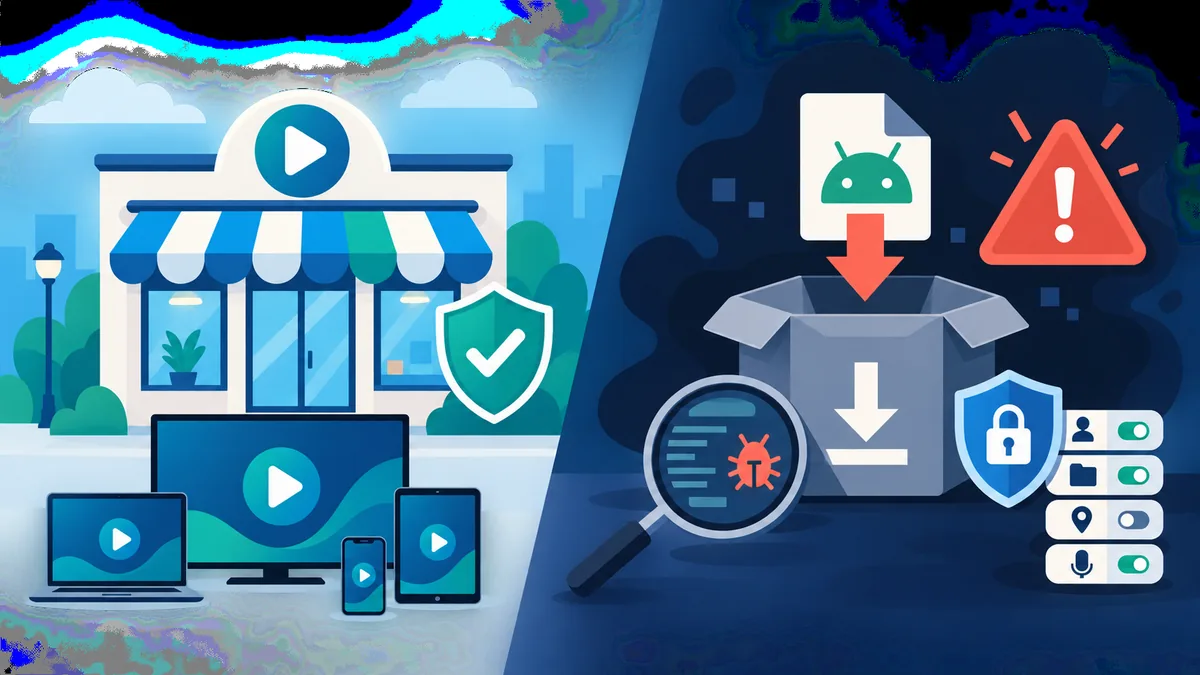
Choose the path that solves your actual need while keeping the source and device trade-off visible.
Choose an alternative by your viewing need
The phrase anime salt alternative can hide several intents. Someone who wants one free episode needs a different answer from a viewer who needs a large subtitle catalog, television playback, or downloads for a trip. Start with the constraint that matters most, then compare services inside that boundary.
Do not make title count the only test. A smaller catalog with a clear operator, stable player, useful captions, and ordinary permissions can be a better everyday choice than a larger page that pushes unrelated installers or cannot explain its source.
One free episode
Check an official free or ad-supported service first. Confirm that the title plays in your country before creating an account or installing anything.
Subtitles matter most
Open the player and test the exact subtitle track. A language label on a homepage does not prove that every title or episode has that track.
TV or shared screen
Prefer a normal TV app, casting path, or browser that does not require risky sideloading. Test remote controls and playback before switching a household device.
Offline viewing
Confirm whether downloads are supported by the official service or app, where files are stored, when they expire, and whether one short episode plays in airplane mode.
A good alternative is a fit decision: title, country, subtitles, device, storage, and source transparency should all agree.
Source and APK checks before you switch
The public Google Play listing checked for this guide identifies package com.animesalt.animewatch and describes an anime-discovery app. That is evidence about that listing only. It does not verify that every third-party page using the Anime Salt name distributes the same streaming APK, or that a site-listed version and file size are current.
If an alternative page sends you to an APK, record the exact source URL, package name, version label, file size, release note, permissions, and security result. Stop when the page hides the package, asks you to disable Play Protect, requests unrelated access, or uses repeated countdown redirects.
A safer alternative page should help you understand the product before asking for an install. It should not use urgency, a copied screenshot, or a premium-unlocked claim as a substitute for publisher identity and release evidence.
- Open the publisher or official store page and compare the exact package identity.
- Look for a dated release note, stable support domain, and a consistent update path.
- Check permissions against the advertised purpose; streaming does not normally need contacts, SMS, or device administration.
- Keep Google Play Protect or the platform security scanner enabled and treat warnings as a stop signal.
- Do not use a guessed CDN path, a temporary signed URL, or a mirror that hides the final file.
- If a browser page requires notifications, extensions, profile installs, or unrelated downloads before playback, leave it.
Region, subtitles, devices, and offline limits
Anime catalogs are not identical worldwide. Licensing, language tracks, free tiers, and app availability can change by country. When a result says that a title or subtitle is available, treat it as a lead and verify the exact title in the player or official catalog for your location.
The same distinction applies to devices. A web player may load on a phone but fail on a television browser. An APK may install on Android but not support a particular TV version, remote, or screen density. Compatibility is useful evidence about the device workflow, not proof that the package is official.
Offline claims deserve one extra test. Download one short episode, record the storage impact, turn off Wi-Fi, and check whether the file plays under the service's normal rules. Do not assume that a visible download icon means a permanent, transferable video file.
| Question | What to verify | Why it matters |
|---|---|---|
| Is the title available? | Exact title, season, episode, and country | A broad catalog claim may not cover the episode you need |
| Is the subtitle available? | Track menu inside the player | Homepage language labels can be broader than episode-level support |
| Does the device work? | Phone, browser, TV app, casting, remote controls | Install success does not guarantee usable playback |
| Does offline mode work? | Expiry, storage, airplane-mode playback, account rules | A download button may create a temporary cache, not a portable file |
| Is the source clear? | Publisher, package, support page, release history | Source clarity is more important than a large version number |
Availability is title-, country-, device-, and source-specific. Test the exact path you intend to use.
A safer switch plan when Anime Salt is unavailable
If the current Anime Salt page is down, do not immediately search for a fixed APK or a mirror with a higher version number. First write down what you were trying to do: watch one title, find a subtitle, use a TV, or download for offline viewing. That makes it easier to choose an alternative with a matching purpose.
Next, test one transparent option and one backup option. Keep the official source page open, confirm the title and subtitle, and check the player on the device you actually use. If neither option fits, then review an APK workflow with the source checklist above instead of mixing files from several mirrors.
Finally, keep the links that worked and remove permissions or downloads that did not make sense. A small, repeatable setup is safer than a long bookmark list of pages that change domains, request extra access, or make unsupported safety promises.
- Define the job: free episode, subtitle, TV playback, new release, or offline viewing.
- Check an official service and its country-specific catalog first.
- Test one title, one subtitle track, and one device before saving a watchlist.
- Compare the source, package, permissions, and update evidence before any APK install.
- Keep security scanning enabled and leave pages that create urgency or hide the file identity.
Related Anime Salt guides
- Best free anime websites — Compare broader website and app categories after identifying the brand-specific alternative intent.
- Free anime streaming apps for Android — Review app-first choices, ads, subtitles, and permission checks.
- What happened to free anime streaming sites — Understand shutdowns, mirrors, and replacement paths without treating a clone as official.
- Anime Salt website safe-link guide — Check domains, redirects, download buttons, and source boundaries before installing.
- Anime Salt Android TV and Firestick guide — Separate device compatibility from publisher identity and APK freshness.
- Anime Salt installation guide — Follow Android sideloading steps only after the source and package checks pass.
Frequently Asked Questions
Bottom line
An Anime Salt alternative is not automatically better because it has more titles or a faster download button. The strongest choice is the service that fits your country and device, exposes its source clearly, provides the subtitle or playback behavior you need, and does not demand unrelated permissions.
Use official services first, treat browser mirrors cautiously, and keep APK workflows separate from public store identity claims. If a page cannot explain its package, publisher, update path, or security behavior, it has not earned a place in your regular viewing setup.
Sources and verification notes
- Google Play listing for package com.animesalt.animewatch — Public store identity boundary checked on August 19, 2026; it does not verify every third-party streaming APK page using the Anime Salt name.
- Crunchyroll — Official anime streaming source to check for current title, subtitle, plan, and country availability.
- Tubi Anime — Official category page to check current free or ad-supported anime availability by location.
- RetroCrush — Official classic-anime service page; catalog and access rules can vary by country.
Last checked: August 19, 2026