Anime Salt 작동 안 됨? 재생 문제 9가지 해결법
Anime Salt 작동 안 됨 문제를 영상 소스부터 설치 실패까지 순서대로 진단하는 Android 안내입니다.

Anime Salt가 작동하지 않을 때 한 작품만 실패하는지, 모든 소스가 실패하는지, 특정 네트워크인지, 앱 전체 문제인지 먼저 구분하세요. 그러면 일시적인 스트림 장애 때문에 APK를 바꾸지 않아도 됩니다.
이 가이드는 네트워크, 소스, 플레이어, 캐시, Android 권한, 설치 상태, APK 출처를 순서대로 분리해 점검합니다.
한 에피소드가 실패했다고 낯선 미러에서 다시 설치하지 마세요. 소스 변경, 캐시 삭제, APK 정보 확인부터 진행하세요.
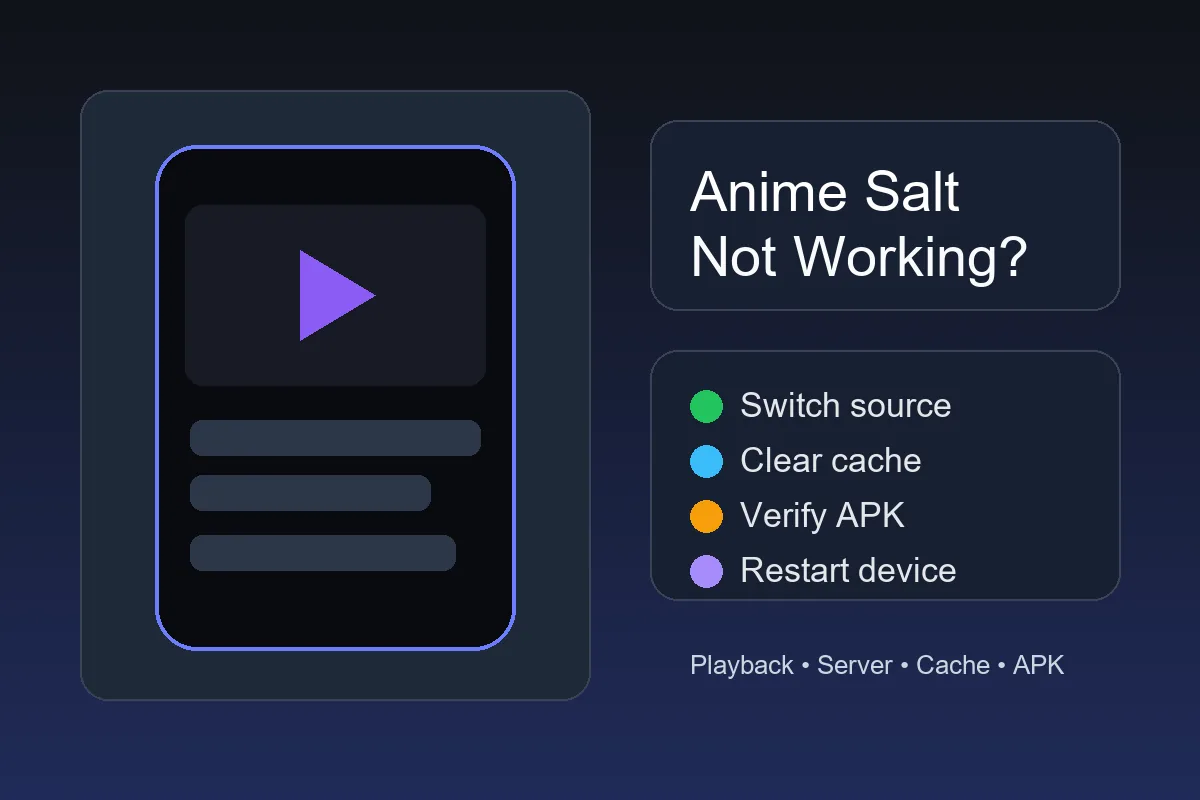
빠른 답변: Anime Salt 작동 안 됨? 먼저 무엇을 해야 하나요?
앱은 열리지만 영상이 재생되지 않으면 같은 에피소드에서 다른 서버를 선택하고 화질을 낮춘 뒤 다시 로드하세요. 여러 에피소드가 실패하면 다른 네트워크, 캐시 삭제, 기기 재시작, 저장 공간을 확인하세요.
앱이 열리지 않으면 바로 데이터 삭제를 하지 말고 강제 종료, 캐시 삭제, 재시작, 신뢰한 APK 출처 확인을 먼저 하세요.
한 네트워크에서는 앱이 되지만 다른 네트워크에서 안 되면 APK를 바꾸기 전에 DNS 필터, 프라이빗 DNS, VPN, 광고 차단기와 공유기 차단을 확인하세요. 네트워크에서만 발생하는 문제라면 설치된 파일을 먼저 교체할 필요가 없다는 뜻입니다.
첫 판단
Anime Salt 작동 안 됨처럼 보여도 한 에피소드만 실패하면 앱보다 소스 문제일 가능성이 큽니다.
증상 확인
이 표를 사용해 엉뚱한 해결 방법에 시간을 쓰지 마세요.
| 증상 | 가능한 원인 | 첫 번째 해결 |
|---|---|---|
| 한 에피소드만 로드되지 않음 | 중단되었거나 과부하된 소스 | 소스나 서버를 바꾼 뒤 화질을 낮춥니다 |
| 모든 영상이 버퍼링됨 | 네트워크, 통신 경로 또는 기기 저장 공간 | 다른 네트워크를 테스트하고 캐시를 삭제합니다 |
| 실행할 때 앱이 종료됨 | 캐시 충돌, 저장 공간 부족 또는 버전 불일치 | 강제 종료, 캐시 삭제 후 기기를 재시작합니다 |
| 업데이트 후 빈 화면이 나타남 | 잘못된 업데이트 또는 오래된 앱 데이터 | 먼저 캐시를 삭제하고 신뢰할 수 있는 출처에서만 재설치합니다 |
| 앱이 설치되지 않음 | 권한, 저장 공간, 서명 충돌 또는 손상된 APK | Android 설치 가이드를 확인하고 다시 다운로드합니다 |
| 자막이 표시되지 않음 | 소스에 자막 트랙이 없음 | 자막 가이드를 확인하고 다른 소스를 테스트합니다 |
| TV 리모컨으로 컨트롤을 선택할 수 없음 | 포커스 또는 화면 배율 문제 | Android TV와 Firestick 가이드를 확인합니다 |
빠른 해결
순서대로 시도하세요. 앞부분의 단계는 시청 목록이나 앱 데이터를 삭제하지 않습니다.
-
에피소드 소스 변경
같은 에피소드에서 다른 소스나 서버를 선택하세요. 재생 실패는 특정 소스에서만 생길 수 있습니다.
-
화질을 한 단계 낮추기
1080p에서 720p 또는 480p로 낮춰 대역폭 부족인지 소스 과부하인지 확인하세요.
-
플레이어 다시 불러오기
에피소드를 닫고 10초 기다린 뒤 앱 설정을 바꾸기 전에 다시 여세요.
-
다른 네트워크 테스트
가능하면 Wi-Fi와 모바일 데이터를 비교하세요. 한 네트워크만 작동하면 APK가 원인이 아닐 수 있습니다.
-
Anime Salt 강제 종료
Android 설정 > 앱 > Anime Salt > 강제 종료를 선택한 뒤 앱을 다시 여세요.
-
데이터 대신 캐시 삭제
저장 공간에서 먼저 캐시를 삭제하세요. 설정이 사라질 수 있는 데이터 삭제는 마지막에 합니다.
-
저장 공간 확보
스트리밍 캐시, 자막과 임시 파일을 위해 수백 MB의 여유 공간을 남겨 두세요.
-
기기 재시작
완전히 재시작하면 많은 Android 기기에서 네트워크, 디코더와 메모리 상태가 초기화됩니다.
-
APK 출처 확인
새 사이트에서 업데이트한 뒤 문제가 생겼다면 재설치 전에 버전, 파일 크기, 권한과 다운로드 경로를 비교하세요.
Anime Salt 작동 안 됨: 문제가 기기, APK, 서버 중 어디에 있는지 판단하기
Anime Salt를 다시 설치하기 전에 증상을 휴대폰 또는 네트워크, APK 빌드, 스트리밍 소스 세 가지로 나누세요. 실제 원인이 일시적인 서버 문제일 때 정상 설정을 삭제하는 일을 줄일 수 있습니다.
빠른 해결을 시도한 뒤 아래 표를 사용하세요. 서로 다른 네트워크의 두 기기에서 같은 제목이 실패하면 무작위 대체 APK를 받기보다 기다렸다가 다시 시도하는 편이 안전합니다.
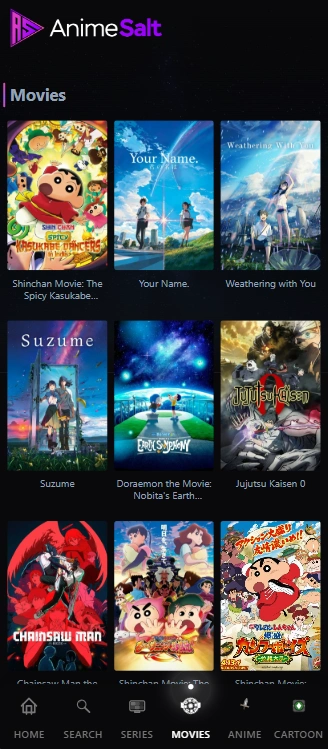
| 가능한 원인 | 흔한 징후 | 다음 조치 |
|---|---|---|
| 휴대폰 또는 네트워크 | 내 기기에서만 버퍼링, 종료, 빈 플레이어가 나타납니다. | 캐시 삭제, 네트워크 변경, Android 재시작 후 다시 테스트합니다. |
| APK 빌드 또는 업데이트 | 앱은 열리지만 설치 실패, 업데이트 충돌, 권한 변화가 있습니다. | 패키지 정보를 확인한 뒤 신뢰할 수 있는 출처에서만 재설치합니다. |
| 서버 또는 스트림 소스 | 여러 에피소드가 실패하거나 다른 기기에서도 같은 제목이 실패합니다. | 기다렸다가 앱 안의 다른 소스를 시도하고 위험한 미러를 피합니다. |
| 지역 또는 ISP 필터 | 모바일 데이터에서는 되지만 Wi-Fi에서는 안 되거나 반대입니다. | 다른 네트워크와 DNS/차단 설정을 확인합니다. |
| DNS, VPN 또는 콘텐츠 차단기 | VPN, 프라이빗 DNS 또는 광고 차단기를 켜면 페이지가 일부만 로드되거나 소스가 사라지고 재생이 달라집니다. | 필터를 하나씩 잠시 중지하고 같은 작품을 테스트한 뒤 설정을 복원합니다. |
낮은 위험 원칙
Anime Salt 작동 안 됨 문제에서 원인이 기기, APK 파일, 스트림 소스 중 어디를 따라가는지 알기 전에는 앱 삭제나 수정 APK 설치를 서두르지 마세요.
재생 오류
재생 문제는 설치 문제와 다를 수 있습니다. APK를 건드리기 전에 스트리밍 경로를 확인하세요.
해결:
화질을 낮추고 소스를 바꾼 뒤 다른 네트워크를 테스트하세요. 여러 앱이 멈추면 회선을, 한 소스만 멈추면 과부하를 먼저 확인합니다.
해결:
에피소드에서 나와 다시 열고 다른 소스를 시도하세요. 모든 에피소드가 검으면 앱을 강제 종료하고 캐시를 삭제합니다.
해결:
1분 기다린 뒤 에피소드를 다시 여세요. 모든 작품에서 소스가 없으면 APK가 오래되었거나 네트워크 필터링일 수 있습니다.
해결:
먼저 소스를 바꾸세요. 모든 소스에서 어긋나면 기기를 재시작하고 화면 녹화나 무거운 앱을 닫습니다.
해결:
공간을 확보하고 Wi-Fi를 다시 연결한 뒤 짧은 에피소드를 테스트하세요. 보통 저장 공간이나 소스 문제이며 Mod APK를 설치할 이유가 아닙니다.
설치와 업데이트
설치 중이나 업데이트 후 Anime Salt가 실패하면 Android 권한, 손상된 APK, 이전 빌드와의 서명 충돌 또는 저장 공간 부족일 수 있습니다. 재생 오류와 다른 방식으로 확인해야 합니다.
충돌을 고치려고 premium 또는 mod 파일을 설치하지 마세요. 수정된 APK는 권한과 서명 문제를 늘릴 수 있으므로 먼저 일반 APK 경로를 확인하세요.
앱이 설치되지 않음
불완전한 APK를 삭제하고 공간을 확보한 뒤 다시 다운로드하세요. 사용하는 브라우저나 파일 관리자에 알 수 없는 앱 설치를 허용합니다.
구문 분석 오류
Android 5.0 이상인지 확인하고 파일을 다시 받으세요. APK가 지나치게 작으면 다운로드가 실패했을 가능성이 큽니다.
실행 후 충돌
캐시를 삭제하고 재시작한 뒤 같은 충돌이 계속될 때만 같은 신뢰할 수 있는 출처에서 재설치하세요.
업데이트 후 앱이 작동하지 않음
업데이트가 다른 사이트에서 왔는지 확인하세요. 버전과 서명이 바뀌면 정상 설치가 막힐 수 있습니다.
안전한 출처
문제 해결을 검색하다 보면 fixed, premium 또는 mod Anime Salt APK를 약속하는 복제 페이지로 이동할 수 있습니다. 새 파일과 권한, 리디렉션만 늘리고 문제는 해결하지 않을 수 있어 위험합니다.
재설치 전에는 파일 크기, 버전 표기, Android 요구 사항, 업데이트 날짜와 권한 설명을 비교하세요. 정보가 부족한 페이지에서는 다운로드하지 않는 편이 안전합니다.
재설치 원칙
소스 변경, 캐시 삭제, 공간 확인과 재시작을 모두 시도한 뒤에도 실패할 때만 신뢰할 수 있는 출처에서 재설치하세요.
Android 설정
Android는 APK 설치를 차단하거나 알 수 없는 앱을 경고하고, 백그라운드 활동과 자막 표시를 제한할 수 있습니다. 보호 기능은 영구적으로 끄지 말고 필요한 범위에서만 조정하세요.
설치 중 Play Protect가 경고하면 내용을 읽고 출처를 확인하세요. 배터리 최적화로 재생 중 앱이 닫혀도 파일을 확인한 뒤에만 정상 백그라운드 활동을 허용합니다.
Google의 Play Protect와 앱 검사는 Google Play Protect 도움말 .
Android 앱 저장 공간은 Android 캐시 및 저장 공간 안내 .
관련 Anime Salt 가이드
- Android에 Anime Salt APK 설치하기 - 설치 권한이나 앱 설치 실패를 확인할 때 사용하세요
- Anime Salt에서 자막 켜기 - 자막이나 언어만 표시되지 않을 때 사용하세요
- Anime Salt 안전 링크 가이드 - 재설치 전에 다운로드 페이지를 확인하세요
- Android TV와 Firestick에서 Anime Salt 사용하기 - TV 리모컨과 화면 문제를 해결할 때 사용하세요
- Anime Salt 오프라인 다운로드 가이드 - 멈춘 다운로드와 오프라인 재생 문제 해결
- Anime Salt 앱은 안전한가요? - 재생 문제만 있는 앱을 교체하기 전에 패키지와 출처를 확인하세요.
자주 묻는 질문
Anime Salt 작동 안 됨: 실제 실패 원인 해결하기
Anime Salt가 작동하지 않는다고 APK가 항상 고장 난 것은 아닙니다. 스트리밍 소스, 네트워크, 캐시, 저장 공간, Android 권한 또는 다운로드 출처 중 한 부분이 원인일 수 있습니다.
먼저 소스를 바꾸고 캐시를 삭제하세요. Android 설치 오류, 서명 충돌 또는 여러 작품에서 반복되는 충돌이 있을 때만 설치 문제를 확인합니다. 새 파일이 필요하면 페이지와 파일 정보를 먼저 검토하세요.
참고 자료
- Google Play 도움말: Play Protect와 앱 검사
- Android 도움말: 앱 저장 공간, 캐시와 관리
- Anime Salt 가이드: 설치, 자막, 안전한 링크, Android TV와 Firestick 문제 해결
마지막 업데이트: 2026년 10월 22일